
Explore Community
Explore is PromptHub’s public AI asset discovery page. You can browse text prompts, image prompts, skills, rule-tagged resources, and official MCP entries, then adapt them for your own Agent workflows.
It is a content discovery page, not a payment or purchasing flow.
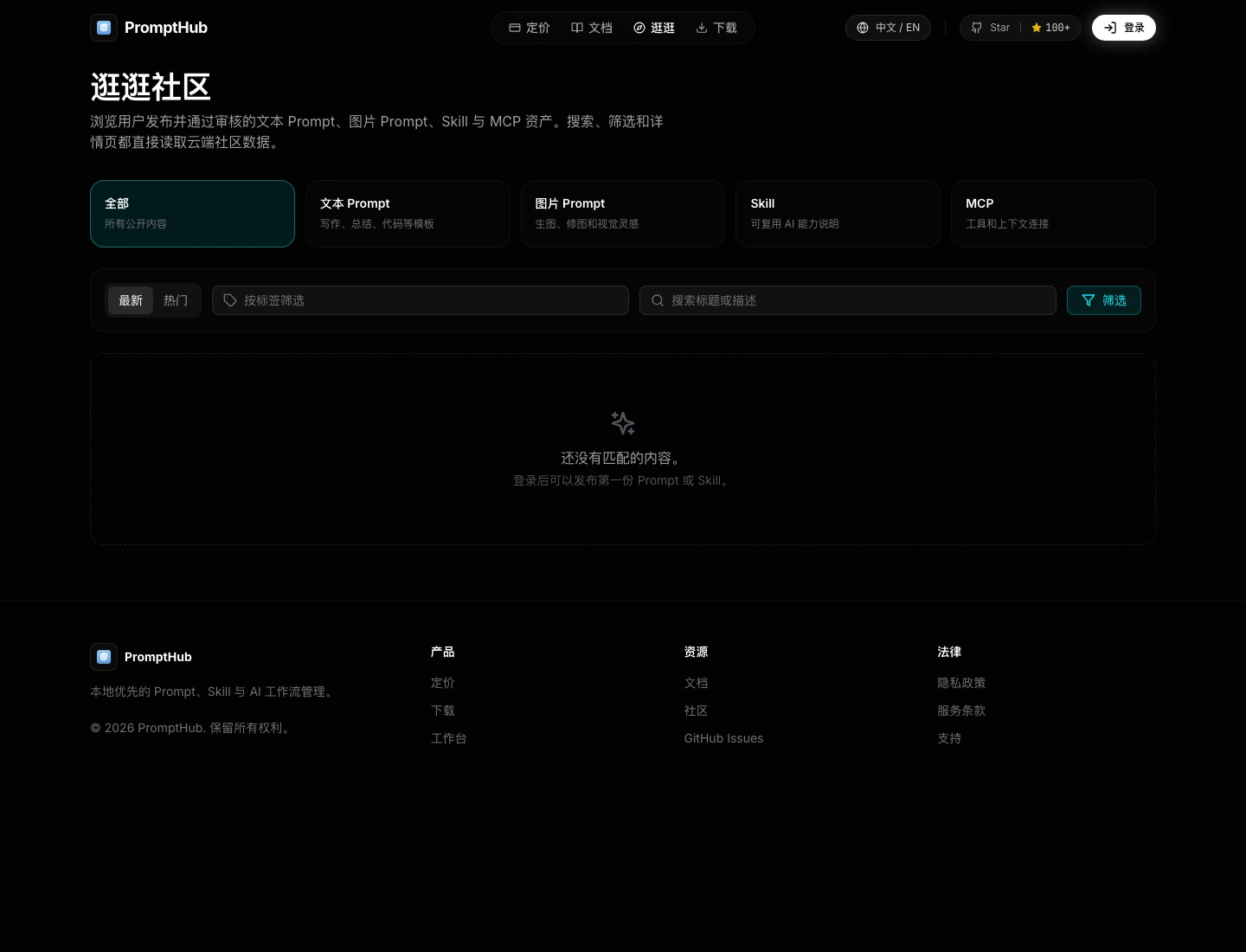
Content Areas
Section titled “Content Areas”| Area | What You Will Find | Best For |
|---|---|---|
| Text Prompt | Writing, summarizing, translation, review, and analysis templates | Copying into your own workflow |
| Image Prompt | Generation, editing, style references, covers, and visual descriptions | Exploring reusable visual prompt patterns |
| Skill Community | SKILL.md-based capabilities for AI coding tools | Reviewing and installing reusable skills |
| Official MCP | Curated tool/context entries maintained by the official team | Reading setup notes before connecting tools |
Cards also show tags, summaries, covers, popularity, and publish time.
How to browse
Section titled “How to browse”Use the content tabs and filters to narrow the list:
- Latest.
- Hot.
- Text Prompt.
- Image Prompt.
- Skill.
- MCP.
- Tag filter.
- Keyword search.
Open an item after checking its title, summary, and tags.
Using a Text Prompt
Section titled “Using a Text Prompt”Text prompts are best for repeatable writing, review, analysis, support, and coding tasks. Before copying one, check whether it explains the expected input and output and whether it assumes a role, tone, industry, or tool that does not fit your work.
Save a useful item to your own prompt library and adapt it instead of treating public content as a final production version. Turn changing inputs into variables when you expect to reuse it.
Using an Image Prompt
Section titled “Using an Image Prompt”An image prompt is a visual recipe. Review both the example image and the written structure:
- Confirm that the style is close to your target.
- Look for subject, background, camera, lighting, material, ratio, and constraints.
- Test it with your own image model.
- Record model-specific adjustments in your own copy.
Results can vary significantly between models. A strong preview does not guarantee the same output from another provider.
Using a Skill
Section titled “Using a Skill”A Skill is a reusable set of instructions for an AI tool. Before adapting or installing one, check:
- Which tool and workflow it targets.
- What input it expects and what output it produces.
- Whether it includes someone else’s internal paths or team rules.
- Whether it asks the AI to read files, run commands, or call another service.
Copy the skill into your own library, remove assumptions that do not apply, and test it in a low-risk project before making it part of a team standard.
Using an MCP Entry
Section titled “Using an MCP Entry”Curated MCP entries describe tool or context connections. Review what the entry connects to, which credentials or local permissions it needs, and whether it can read sensitive data. If the boundary is unclear, keep the entry as a reference instead of connecting it to a production workflow.
After opening an item
Section titled “After opening an item”The detail page helps you understand:
- What the item is useful for.
- Which tags describe it.
- Whether it is a Prompt, Image Prompt, Skill, or MCP entry.
- The full public content or official setup notes.
Typical use:
- Open the item.
- Read the summary and tags.
- Copy the Prompt, or add the Skill to your own library.
- Test image prompts before making them part of a long-term visual workflow.
- For MCP entries, read the notes before connecting anything.
Publishing your own content
Section titled “Publishing your own content”For a full step-by-step guide, see Publish to Community.
Before publishing, prepare:
- A clear title.
- A short summary.
- Useful tags.
- A cover or example image for image prompts.
- A privacy check.
Do not publish API keys, customer data, internal links, or private conversations. Published content goes through moderation before it appears in Explore.
What Not to Publish
Section titled “What Not to Publish”- API keys, tokens, passwords, or cookies.
- Customer data, private conversations, or internal project material.
- Unlicensed images, fonts, brand assets, or portraits.
- Content that only makes sense inside a private system.
- Instructions intended for abuse or bypassing safety controls.
Publishing Status and Review
Section titled “Publishing Status and Review”Users can submit their own prompts and skills, while curated MCP entries are maintained by the official team. A submission appears publicly only when it has a public publishing state and passes review. Content with privacy, security, copyright, or misuse concerns can be hidden, removed, or archived.
Current boundaries
Section titled “Current boundaries”| Capability | Current Status |
|---|---|
| Browse public assets | Supported |
| Search and filter | Supported |
| Moderation and reports | Basic support |
| Official MCP entries | Supported as curated entries |
| Paid purchases | Not supported |
| Creator revenue sharing | Not supported |
| Comment system | Not supported |
Related Docs
Section titled “Related Docs”Practical Advice
Section titled “Practical Advice”- Prefer specific inputs, outputs, and constraints over a long but vague description.
- Treat public content as a starting point, not a reviewed production dependency.
- Test image prompts with the model you actually use.
- Adapt skills to your own tools and team rules before long-term installation.
- Review permissions carefully before connecting an MCP entry.