
Rules Workspace
AI coding tools read instruction files to learn project structure, coding style, test commands, and prohibited operations. PromptHub brings supported global and project rules into one workspace so edits and history are easier to review.
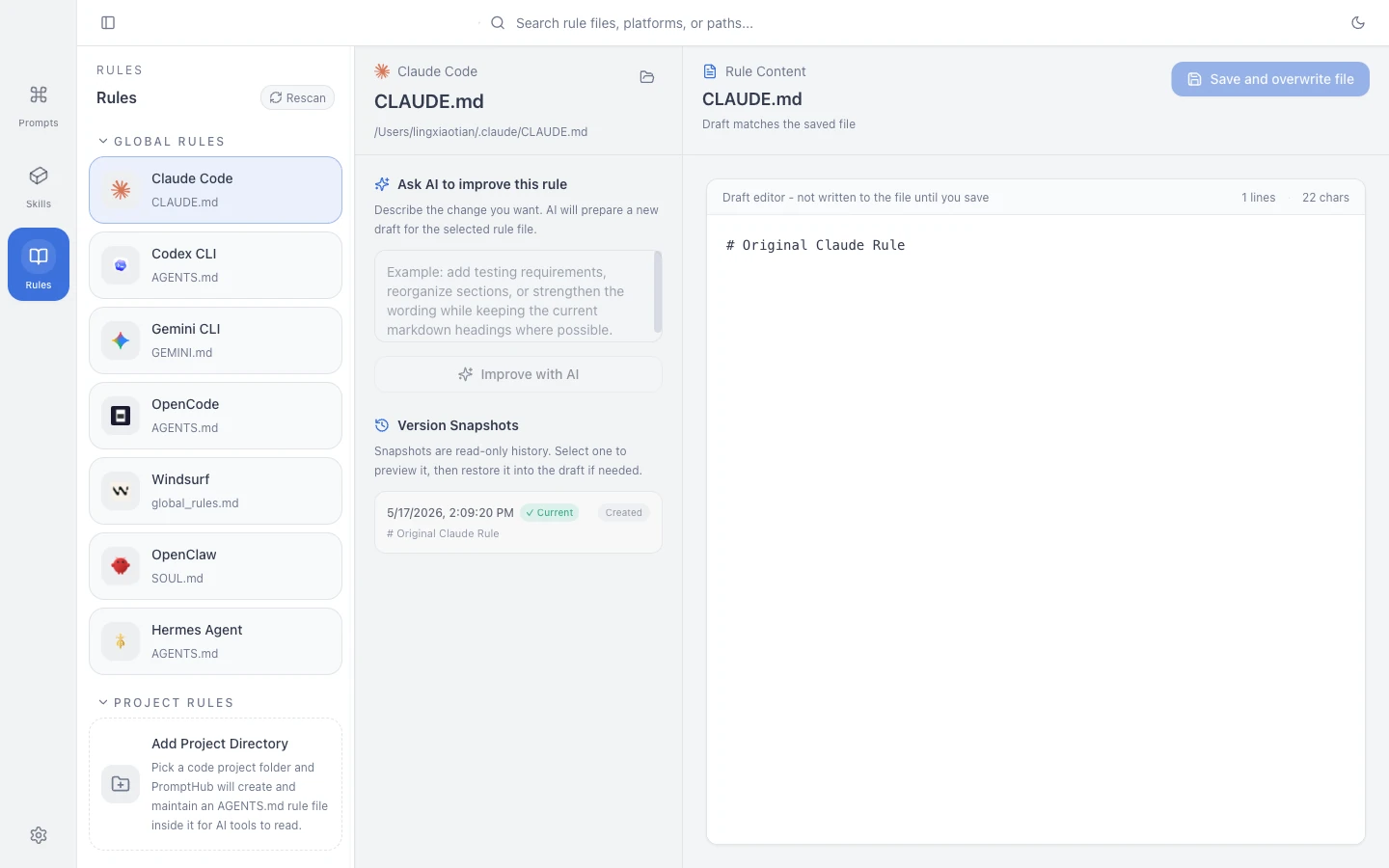
Common Rule Files
Section titled “Common Rule Files”| Platform | Typical Global File |
|---|---|
| Claude Code | ~/.claude/CLAUDE.md |
| Codex CLI | ~/.codex/AGENTS.md |
| Gemini CLI | ~/.gemini/GEMINI.md |
| OpenCode | ~/.config/opencode/AGENTS.md |
| Windsurf | ~/.codeium/windsurf/memories/global_rules.md |
Project rules may live in a repository-level AGENTS.md or a tool-specific directory. The actual target comes from the Agent configuration shown by PromptHub.
What You Can Do
Section titled “What You Can Do”- Browse global and project rules.
- Search rule content.
- Edit a draft and save it to a supported target.
- Create history snapshots before important changes.
- Preview and restore a previous snapshot.
- Ask an AI model to reorganize a rule, then review it before saving.
Rules vs Skills
Section titled “Rules vs Skills”Rules describe what a tool should consistently follow in an environment. A Skill describes a reusable capability for a particular task.
| Content | Better Location |
|---|---|
This repository uses pnpm and runs pnpm test |
Rule file |
| Follow a standard flow when generating React components | Skill |
| Never commit secrets or rewrite migration history | Rule file |
| Prepare release notes and run a release checklist | Skill |
Practical Advice
Section titled “Practical Advice”- Put stable personal preferences in global rules.
- Put architecture, commands, and project prohibitions in project rules.
- Do not store secrets, customer data, or temporary chat content in a rule file.
- Read AI-rewritten rules before they replace an important file.