
Prompt Management
PromptHub treats prompts as reusable assets, not disposable text copied from chat windows.
Keep prompts private while you are still refining them. When a prompt is clear enough for other people to reuse, publish it to Explore Community.
What to Store
Section titled “What to Store”- System prompts, role prompts, and workflow prompts.
- Project prompts for review, testing, translation, summarization, and delivery.
- Team prompts that need reuse across people or devices.
- Prompts that require version history, comparison, and rollback.
Create a Prompt
Section titled “Create a Prompt”- Use the new-item entry or the configured shortcut.
- Add a specific title, content, tags, and a folder when needed.
- Mark changing input as a variable such as
{{content}}. - Save, then copy, test, edit, or export from the detail view.
Organization
Section titled “Organization”| Layer | Purpose |
|---|---|
| Folders | Stable ownership by project, client, or workflow |
| Tags | Cross-cutting labels such as model, status, or use case |
| Search | Fast lookup by title, content, and tags |
Use folders for ownership and tags for flexible state such as draft, production, or review.
Versioning
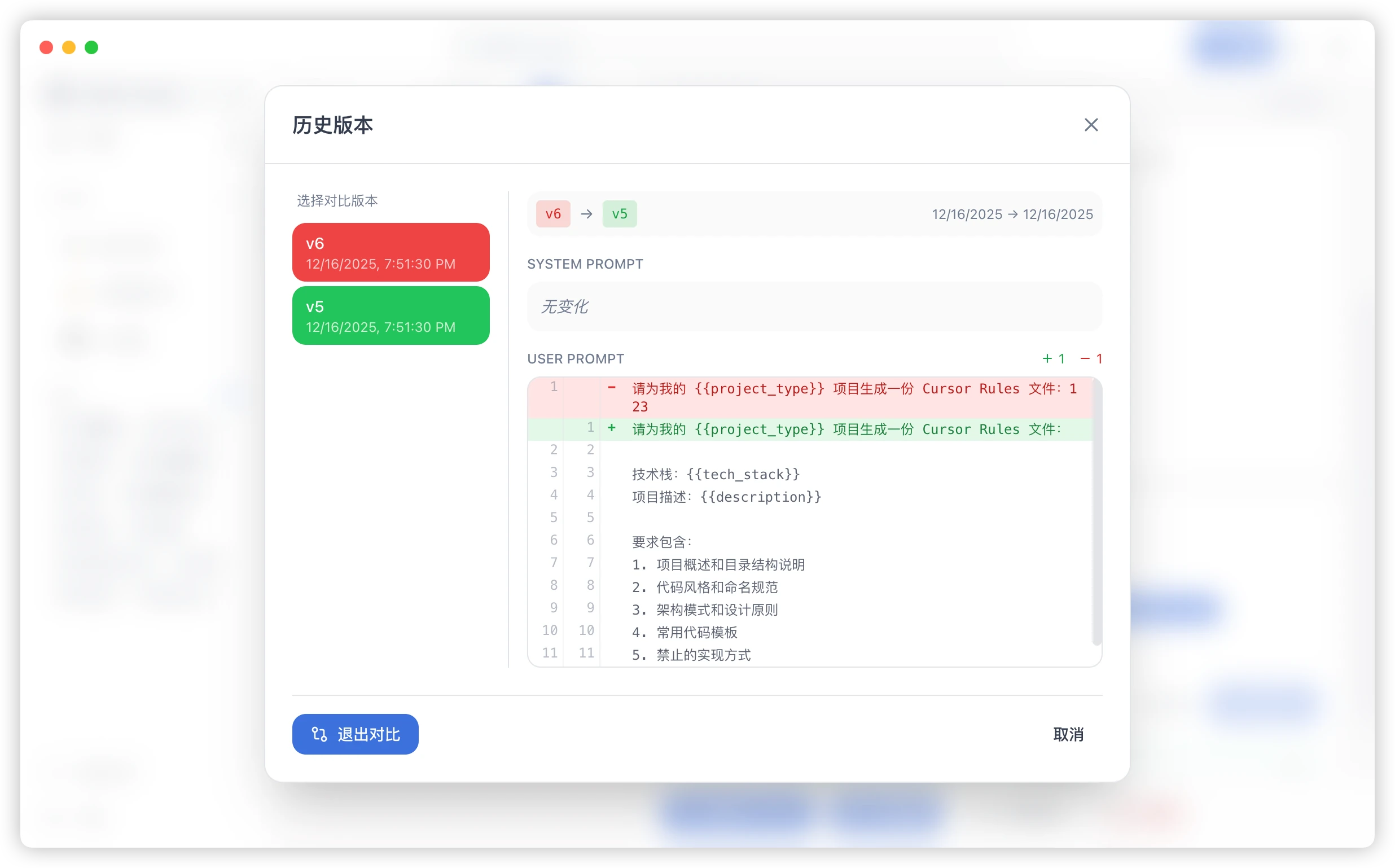
Section titled “Versioning”Prompt versions help answer what changed, why quality changed, and how to roll back to a stable version. Use version history for production prompts and team assets.
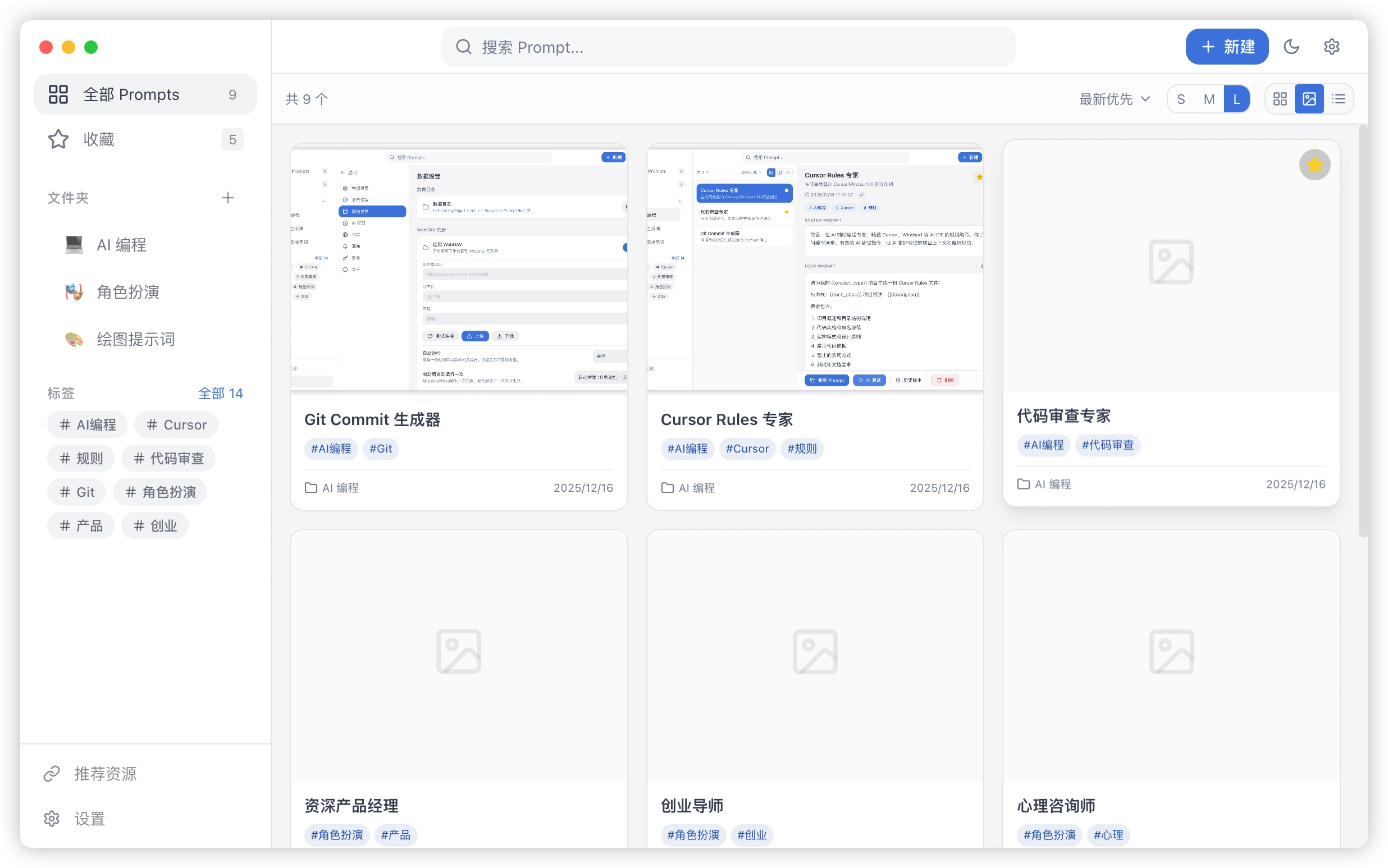
- Card view for everyday browsing.
- Gallery view for visual or cover-based prompts.
- List view for bulk cleanup and scanning.
Export and Migration
Section titled “Export and Migration”Export important prompts before a migration, bulk edit, or restore. A shared team archive should follow the same privacy review as a community submission, even when it is not public.
Sharing to Explore
Section titled “Sharing to Explore”Local prompts are your workspace assets. Community prompts are the public versions you decide to share.
- Text workflows, writing templates, review prompts, and analysis prompts appear as Text Prompt entries.
- Generation, editing, and style-reference prompts appear as Image Prompt entries.
- Prompts with customer data, secrets, internal links, or private conversations should stay private.
- Published content goes through moderation before it appears in Explore.
Publishing checklist
Section titled “Publishing checklist”Before sharing a text prompt publicly, check:
- The title explains a concrete use case.
- The summary says who should use it.
- The required input is clear.
- The expected output is clear.
- Variables use generic names, not customer names or internal systems.
- Secrets, accounts, URLs, cookies, logs, and private conversations are removed.
- Tags help people search for it.
Published content enters moderation first. It appears in the Text Prompt area only after approval, and it can be hidden or archived later if a risk is found.
Prompt vs Skill
Section titled “Prompt vs Skill”A prompt is a reusable model-call template. A Skill is an installable capability package, usually centered on SKILL.md.
Common Questions
Section titled “Common Questions”Can Tags Replace Folders?
Section titled “Can Tags Replace Folders?”Not usually. Folders express primary ownership; tags provide cross-cutting filters. Use both for a library that will grow over time.
When Should I Roll Back?
Section titled “When Should I Roll Back?”Keep a rollback path whenever a prompt is already used in a production workflow, shared process, or repeatable delivery.