
Variables & Templates
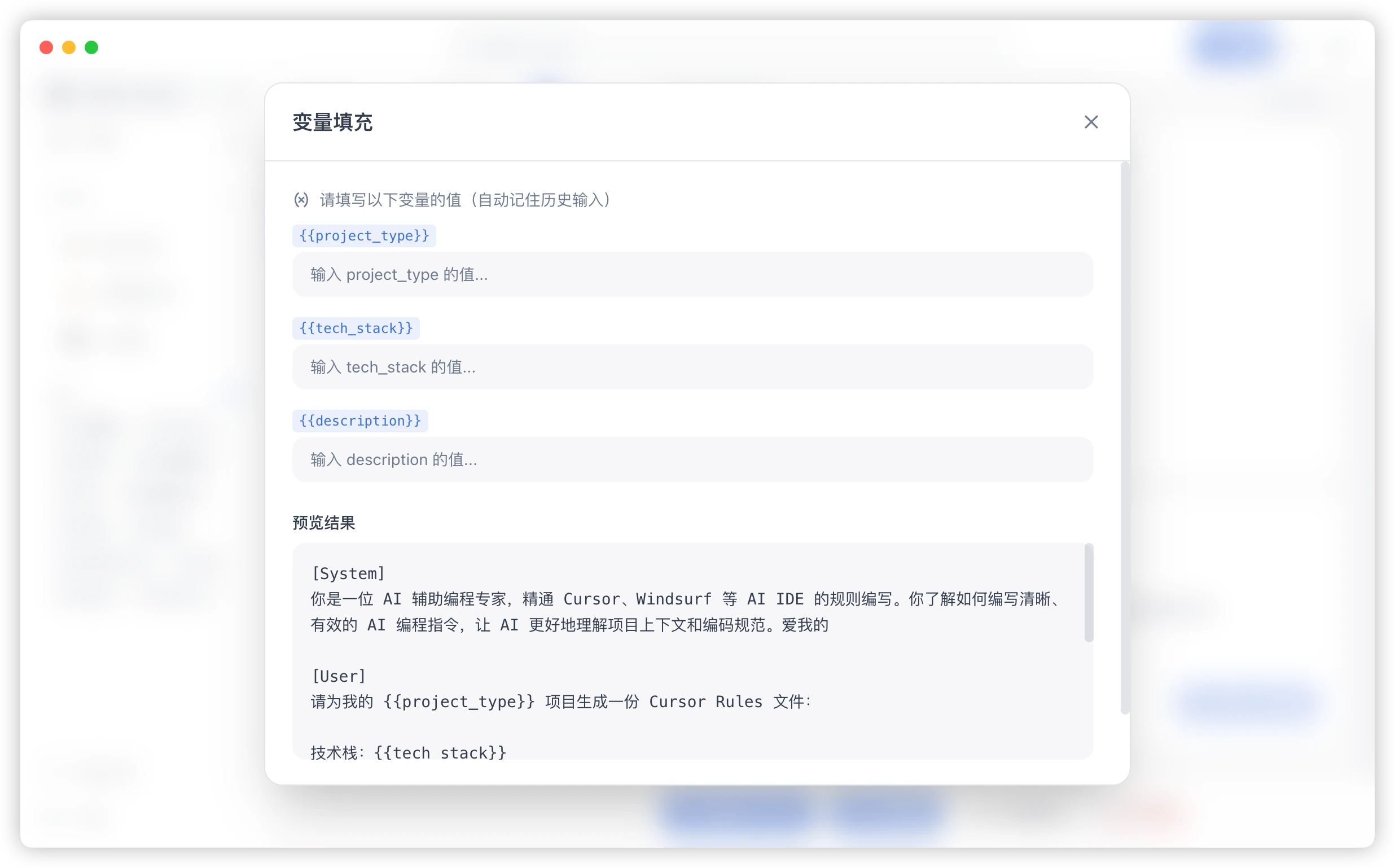
Variables mark the parts of a prompt that change from one use to the next. PromptHub asks for those values when you copy or test the prompt, so you do not need to edit the original template each time.
When to Use Variables
Section titled “When to Use Variables”- The task stays the same while the source material changes.
- A workflow always needs a role, audience, language, or output format.
- A team should fill the same structure consistently.
- You repeatedly copy a prompt and replace the same few values.
Basic Syntax
Section titled “Basic Syntax”Use double braces around a variable name:
You are an expert in {{domain}}.Return the result as {{format}}.
Source:{{content}}
When you copy or test this prompt, PromptHub detects domain, format, and content and opens a form before rendering the final text.
A Small Example
Section titled “A Small Example”Rewrite the following content in a {{tone}} tone:
{{content}}| Variable | Example |
|---|---|
tone |
formal, conversational, concise |
content |
the source text to rewrite |
Naming Advice
Section titled “Naming Advice”- Use clear names such as
role,audience,sourceText, oroutputFormat. - Avoid names such as
a,b, ortext1that lose meaning later. - Reuse the same name for the same concept across related templates.
- Keep names short enough to scan in a form.
Common Patterns
Section titled “Common Patterns”Role, Task, and Input
Section titled “Role, Task, and Input”You are {{role}}.Task: {{task}}Input:{{content}}Goal, Constraints, and Format
Section titled “Goal, Constraints, and Format”Goal: {{goal}}Constraints:- {{constraint1}}- {{constraint2}}
Return the result as {{format}}.Translation
Section titled “Translation”Translate the following content into {{targetLanguage}} and keep terminology consistent:
{{sourceText}}Choosing Variable Boundaries
Section titled “Choosing Variable Boundaries”- Make frequently changing content a variable.
- Keep stable role, policy, and output rules in the prompt body.
- Start with a few variables instead of splitting every sentence.
- If the form becomes tedious, combine related inputs into one
contentfield.
Troubleshooting
Section titled “Troubleshooting”No Form Appears
Section titled “No Form Appears”Check that every variable uses complete double braces, such as {{content}}.
The Form Has Too Many Fields
Section titled “The Form Has Too Many Fields”Merge small fields into one structured input. For example, background, question, and additional notes can become one content variable.